
Facebook Ad Stuck in Review? Fix It (2026)
Why a Facebook ad sits in review, the delivery statuses explained, how long it takes, what stalls it, the billing trap, and how to avoid delays next time.
Updated August 2026 · Likit Sae Lee, CTO

Most Facebook ads clear review within about 24 hours, per Meta's own Transparency Center, so a fresh in-review status is usually nothing to worry about. The fastest way to stall it is to keep editing: Meta re-reviews an edited ad, so the hours it already waited stop counting toward approval. Wait out the first 24 hours, resist editing, and only treat an ad as genuinely stuck after roughly 48 hours. If the status reads active but nothing is spending, that is a billing problem, not a review one.
You hit publish, the launch you planned around is hours away, and the delivery column still reads in review. Nothing is wrong yet, but staring at that status is its own kind of stress, and the worst instinct, opening the ad to tweak something, is the one that resets the timer. Meta runs almost every ad through an automated check before it can spend a cent, and most clear quickly. This walks through why your ad is sitting there, what every delivery status actually means, how long review takes, what slows it down, and the handful of habits that keep your next launch out of the queue.
What "in review" actually means
Every ad you submit on Facebook or Instagram enters a review process before it can deliver a single impression. The delivery column in Ads Manager shows this as "in review", a distinct status from active, rejected, scheduled or paused. While the ad sits there, Meta's systems are checking your creative, copy, targeting and destination against the Advertising Standards. Nothing is being shown to anyone yet, and no budget is being spent.
The review is mostly automated. Software scans the image or video, reads the text, and compares the whole package against thousands of policy rules. For most ads, that check finishes fast and the status flips to active on its own. A smaller share gets routed to human reviewers, usually because the content touches a sensitive area or because the system is not confident enough to clear it automatically. That hand-off to a person is the most common reason a normal ad takes longer than you expected.
One review covers everywhere the ad runs. Build a single ad, select both Facebook and Instagram placements, and you submit it once: it is checked once against the standards that, as Meta's own ads review policy spells out, apply to Facebook and Instagram alike. There is no separate Instagram review and no second queue. Adding placements does not multiply the review; it is still one ad, one pass.
So an in-review status is not a verdict. It is a waiting room. The ad has not been rejected, you have not done anything wrong, and the overwhelming majority of ads pass through without you ever needing to intervene. In review means in progress, not in trouble.
It helps to know what is being checked, because that explains the delays. The system reads the visible creative (including any text baked into an image or video), the headline and body copy, the audience, and the page the ad sends people to, and it judges the whole package as one unit. A landing page that breaks a rule, or a single risky word in your primary text, can hold an otherwise perfect ad in review, which is why two ads that look almost identical can clear at very different speeds.
In review, processing, pending: the delivery statuses decoded
Ads Manager uses a small vocabulary of delivery statuses, and they get confused constantly because two of them look like trouble when they are not. Knowing exactly what each one means is the fastest way to stop panicking at the wrong moment.
"In review" is the first compliance check, before a brand-new ad has ever run. "Processing" is the one that catches people out: it appears after an ad is already approved, when you save an edit and Meta is applying the change and re-checking it. Seeing "Processing" on an ad that was live an hour ago is not a rejection, and it is not a fresh review from scratch; it is the system reconciling your edit. "Pending" covers more ground than a single review check: it usually means the campaign, ad set or ad has not started yet, often because it is scheduled or waiting on the review ahead of it. "Scheduled" means review is done or queued and the ad is simply waiting for its start time. "Rejected" is the only one that is genuinely bad news, and it means a specific policy was tripped. "Active" means the ad is live and eligible to spend.
| Status | What it means | What to do |
|---|---|---|
| In review | First compliance check on a new ad, before it can run | Wait. Most clear inside 24 hours |
| Processing | You saved an edit on an existing ad; Meta is applying and re-checking it | Give it time to settle; do not stack more edits on top |
| Pending | The ad has not started yet, often waiting on review or a start time | Confirm the schedule and that review is moving |
| Scheduled | Cleared or queued, waiting for its set start time | Nothing; it will begin on schedule |
| Rejected | A specific policy was tripped | Read the violation, fix it, then request a review |
| Active | Live and eligible to spend | If it is active but not spending, the issue is billing, not review |
The row people misread most is "Processing" after an edit. It feels like you have thrown the ad back to square one, but it is just Meta absorbing the change. What actually costs you time is the edit that triggered it, which is why the rest of this guide keeps coming back to leaving the ad alone.
How long Facebook ad review really takes
Meta's own Transparency Center states that the ad review process starts automatically before ads begin running and is typically completed within 24 hours, though it notes some cases take longer. That is the number to anchor on. A fresh ad sitting in review for an afternoon, or even overnight, is behaving exactly as designed.
Because this figure comes from Meta directly, treat it as the platform's stated expectation, not an independently measured guarantee. In practice plenty of ads clear in minutes and a few take more than a day, and the variance widens around major shopping moments when the queue is heavier.
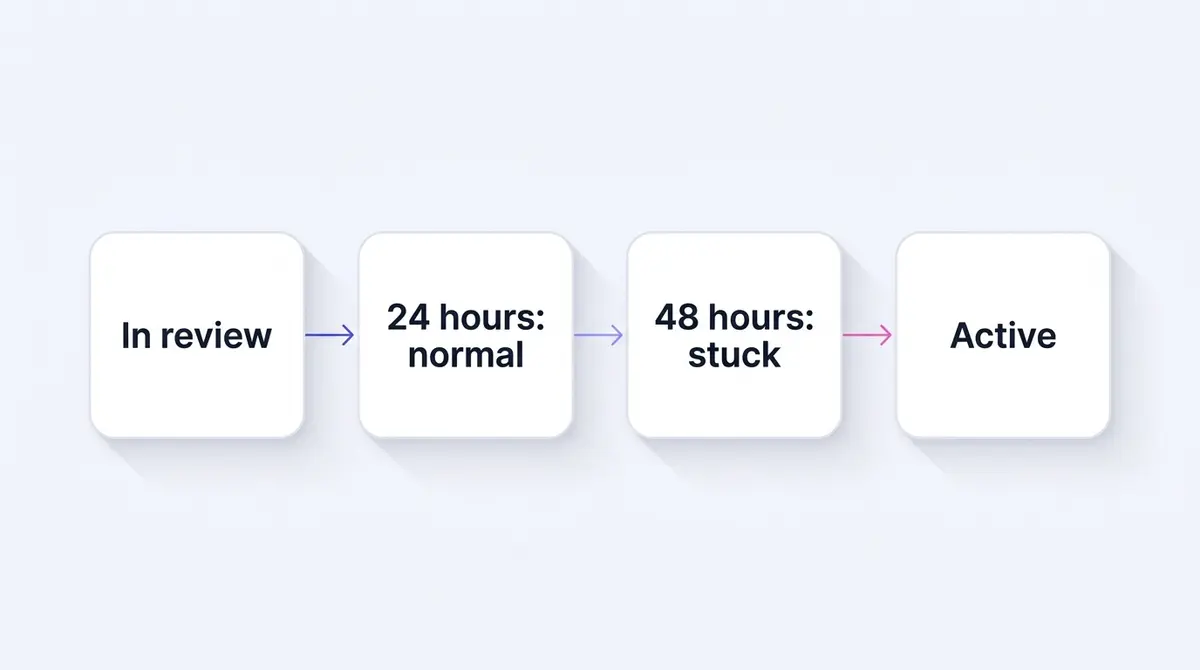
Meta does not publish a line for when normal becomes stuck, so a practitioner rule of thumb fills that gap. The working consensus most marketers settle on: assume nothing is wrong before 24 hours, treat an ad as genuinely stuck only after about 48 hours, and reach for support if it is still frozen after 48 to 72 hours. Those last thresholds are convention rather than a measured benchmark, so hold them loosely, but they map well to how the system behaves and they stop you from acting too early. The practical rule of thumb:
| Time in review | What it means | What to do |
|---|---|---|
| Under 24 hours | Completely normal | Wait. Do not edit. |
| 24 to 48 hours | Slower than typical, still common | Confirm status reads in review, not rejected. Keep waiting. |
| 48 hours or more | Reasonably considered stuck | Request a review in Account Quality. |
| 48 to 72 hours plus | Genuinely frozen | Contact Meta support. |
The biggest mistake people make in the first 24 hours is acting too early. The second is acting in the worst possible way, which is editing the ad.
Why edits restart the review clock
This is the single most actionable point in the whole topic, so it deserves a callout. Meta's documentation is explicit that editing certain details of a campaign, ad set or ad can cause the ad review system to re-review it. A re-review sends the ad back through the check, so the hours it already spent waiting stop counting toward getting it approved.
Picture the trap. Your ad has been in review for 20 hours. You get impatient, decide the headline could be punchier, and tweak one word. That edit can send the ad back for another pass, and the 20 hours you already waited do nothing for you. Do that a few times across an afternoon and you keep a perfectly compliant ad cycling through review, entirely through your own restarts.
The fix is discipline, not cleverness. Once an ad is submitted, leave it alone. If you genuinely spot a policy problem, such as a banned word or a misleading claim, fixing it is worth the re-review because the ad would have been rejected anyway. But cosmetic second-guessing, a different emoji or a reworded call to action, is self-sabotage while a review is pending. Get the ad right before you publish, then keep your hands off it.
Approval is never final, either. Meta says ads remain subject to review and re-review at all times and may be rejected or restricted at any point, even after they go live. A green active status today does not lock in permanent approval. If an ad's risk profile changes, through reports, engagement signals or a policy update, it can be pulled back into review while running.
Which edits restart the clock, and which usually do not
Not every change carries the same risk, and over-correcting into a fear of touching anything is its own mistake. The edits that reliably send an ad back for re-review are the ones that change what the system has to judge: the creative (image, video, headline, primary text), the audience and targeting, the optimisation event, the destination URL, and billing details. Those alter the thing being reviewed, so Meta re-checks them. The lower-risk changes are housekeeping that does not change the message or who sees it: a modest budget adjustment or a schedule tweak generally will not pull the ad through a full creative re-review the way a new image or a rewritten hook does. The rule that keeps you safe: if a change would alter what a reviewer sees or who sees it, expect a re-review and plan around it; if it only changes how much you spend or when, it is far less likely to reset anything. When in doubt, batch your changes into one deliberate save rather than poking at the ad repeatedly, because each trip back through review is time the ad is not earning.
What stalls a review beyond the usual
When an ad genuinely takes longer than a day, a handful of causes explain almost all of it. None of them is personal, and most trace back to the sheer volume of bad content Meta's systems are filtering out. Read this as a checklist rather than a list of reasons to be patient: most causes have a fixable handle.
The first is account age and trust. A brand-new ad account has no history, so Meta cannot lean on a track record of clean, approved ads to clear you quickly. This caution is rational when you see the scale. Meta reported removing 10.9 million accounts tied to criminal scam centers in 2025, a Meta-stated figure that explains why a system with no information about your account defaults to a closer look. The good news is that this eases. As you accumulate approved ads, your account earns trust and your reviews tend to speed up.
The second is content in a high-scrutiny vertical. Health, beauty, supplements, finance and anything touching personal attributes draws more manual review by design. A skincare brand running a before-and-after angle, like the kind a brand such as Shakura uses for pigmentation results, sits squarely in a category Meta watches closely, because before-and-after claims and body-image content have specific policy rules. The creative can be completely compliant and still get routed to a human, which simply takes longer than an automated pass. An aesthetic clinic like UR Klinik promoting a first-visit consultation offer lives in the same careful lane. The ad being slower here is not a sign it is in trouble. It is a sign a person is doing the checking.
The third is format complexity. A single static image is the fastest thing to scan; a video or carousel is not. Every second of a video and every card in a carousel is its own creative the system reads frame by frame and panel by panel, which is more to process than one still. Meta does not publish a per-format review time, so treat this as a practitioner pattern, not a stated rule, but it tracks with what the system has to do: the carousel in the examples on this page gives a reviewer more surface to check than the single static beside it. If a video or carousel sits a little longer than a static you launched alongside it, the format is the likeliest reason, not a fault in the ad.
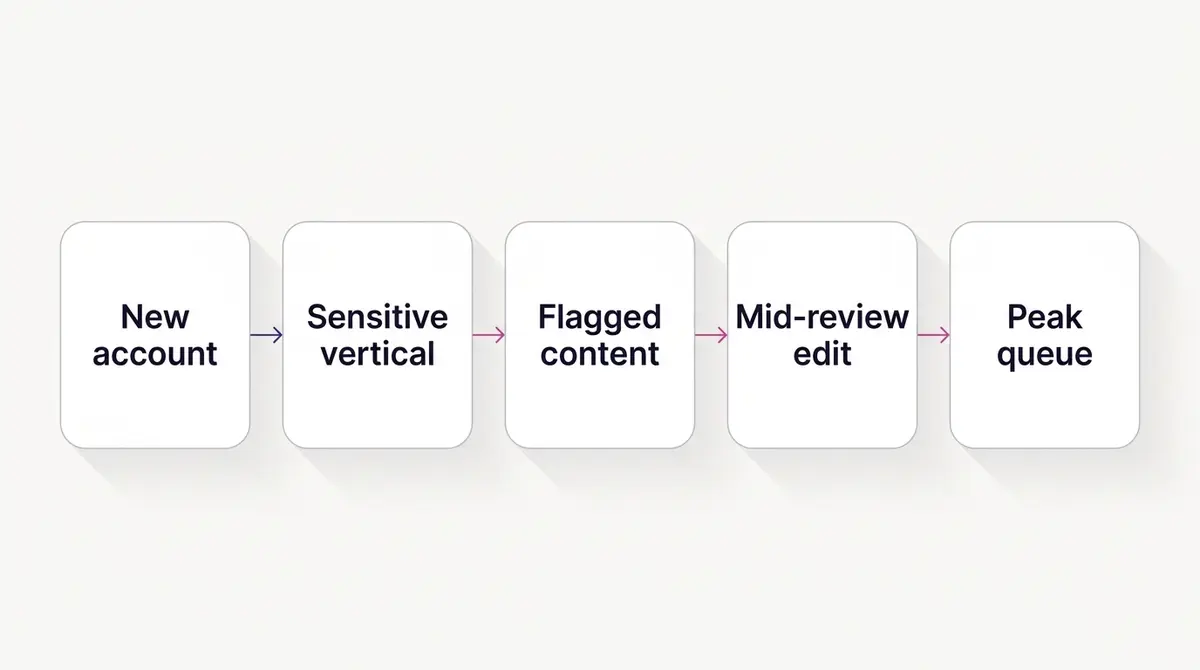
The fourth is a flag on the content itself. Meta's automated enforcement is aggressive because the problem is enormous. The company reported removing more than 159 million scam ads in 2025, and said 92% of them were taken down before anyone reported them. It also removed over 344,000 ads promoting nudify apps between November 2025 and January 2026, per its H1 2026 integrity reporting. These are Meta's own figures, so read them as a measure of enforcement scale rather than an independent benchmark. Either way, a system filtering at that volume will occasionally hold a clean ad for a second look, and that delay is the cost of a net that catches a lot of genuine fraud.
The fifth is a special ad category, and this one is slow on purpose. If your ad is about credit or other financial services, employment, housing such as property and real estate, or social issues, elections or politics, Meta requires you to self-declare a Special Ad Category before you build it. Ads about social issues, elections or politics go further: the advertiser has to confirm identity and carry a "Paid for by" disclaimer through an authorisation process. Declaring the category restricts how you can target and adds checks that take time, and misclassifying an ad that belongs in one of these buckets is a fast route to rejection. If you operate in one of these areas, this is not randomness, it is a documented requirement, so getting the declaration and any authorisation done up front is the fix rather than something to wait out.
The sixth is business verification. A new Business Manager with no verification behind it carries less trust, and tighter limits, than an established, verified one. Meta says you may need to verify your business to access certain advertising, billing and spending options, and an unverified account can run into lower spend caps and closer scrutiny. This is one of the more actionable items on the list, because completing business verification is a concrete step you can take rather than something to sit out, and it tends to smooth the path for everything that follows. If you are still setting up, our guide to creating a Facebook ad account covers getting this foundation right.
The seventh is timing. Around mega-sales and major calendar moments, far more advertisers submit far more ads, and review queues lengthen. An ad that would clear in an hour on a quiet Tuesday can take most of a day during a sale rush. This is predictable, which means it is plannable: if you know a big launch is coming, the queue pressure is a reason to submit early rather than a surprise to be frustrated by.
There is an eighth, quieter cause: ambiguity. When the automated system cannot confidently decide whether an ad complies, it does not guess. It routes the ad to a human, and that takes longer than a software pass. Borderline copy, an unusual image that is hard to parse, or a claim near the edge of a policy can all trip this. The ad is not wrong; the system is just not sure, and a slow review here is a sign of caution rather than a problem.
Stuck in review, or approved but not spending? Tell them apart
A large share of people who think their ad is stuck in review are looking at the wrong status. If the delivery column reads active but no money is moving and no results are coming in, the ad has already cleared review. The block is somewhere else, and the usual culprit is billing.
The most common version: your payment method has not gone through, or you have not yet hit your billing threshold. A billing threshold, in Meta's own words, is the amount you can spend on ads before Meta charges you, and new accounts start with a low one that rises as you build payment history. Until spend reaches that threshold, or while the system is still finding anyone to deliver to, an approved ad can look quiet. A failed or unverified payment method stops delivery the same way, and so can hitting an account spending limit. None of these is a review problem, and requesting a review will not fix any of them.
The quick triage: if the status is "in review", it is a review issue and this guide applies. If the status is "active" but nothing is spending, it is a billing or delivery issue. Check your billing and payment settings first, confirm the payment method is valid, and look at whether the audience is large enough and the budget high enough to deliver at all. We cover the spending side in detail in our guide to a Facebook ad that is not delivering. Diagnosing this correctly saves you from waiting on a review that was never the problem.
What to do while you wait
The honest answer for the first 24 hours is almost nothing, and that is the right answer. Resist the urge to fix, refresh or resubmit. Here is the calm sequence.
First, confirm the status. Check the delivery column actually reads in review, not rejected and not active-but-idle: they look similar at a glance but mean different things. If it says rejected, that is a different problem with a different fix, and our guide to Facebook ad policies walks through reading the violation and responding to it.
Second, do not edit. By now you know why: each meaningful change can send the ad back through review.
Third, use the time. Prep the next creative variant, double-check that your landing page loads and matches the ad's promise, or set up the rest of your campaign structure so you are ready the moment delivery starts. Productive waiting beats anxious waiting.
Fourth, if you pass the 48-hour mark and the ad is still in review, request a review. The current path: go to Account Quality at business.facebook.com/accountquality, select the ad account, find the flagged ad, ad set or campaign, choose Request Review and submit. Interfaces shift, so if the option is not where you expect, Business Support Home is the other way in. For account-level restrictions, Meta says its review is typically completed within 48 hours, with some cases taking longer. Submit one request and wait. Resubmitting repeatedly does not move you up any line and can muddy the record. If the problem is a restriction on the whole account rather than a single ad, our guide to a restricted Facebook ad account covers that separately.
A note on what not to chase. You will find blog posts quoting specific appeal win rates as if they were established facts. Those numbers trace back to ad-tool vendor marketing with no neutral original source, so we have deliberately left them out. Do not let a made-up statistic shape how you feel about your odds. Submit a clear, honest appeal and judge it on the response you actually get.
The tactics people try, and what actually works
Search this problem and you will be told to do a few specific things to force an ad out of review. They circulate because waiting is uncomfortable, not because they are documented to work. Here is an honest read on the popular ones, in the same spirit as the appeal-win-rate stat above.
Duplicate the ad. A duplicate is not a shortcut through the queue. It is a brand-new ad with its own fresh review that starts from zero, so if the original was stalled by a content flag or a sensitive vertical, the copy faces exactly the same check and the same wait. Where duplicating genuinely earns its place is later, as a clean way to scale a winner without disturbing it, not as a way to jump the line.
Turn the ad off and on, or pause and unpause. There is no Meta-endorsed effect here. Toggling does not signal the reviewer or advance the queue, and pausing an ad set for too long can cause separate delivery problems of its own. If anything, fiddling invites the exact restarts you are trying to avoid.
Submit during business hours. You will read that reviewers work roughly 8am to 8pm on weekdays, so submitting then gets you seen faster. Meta publishes no such schedule, and review is automated first, with human reviewers operating across time zones rather than one office's nine-to-five. Treat this as folklore, the same way we left out the invented appeal win rates: there is no primary source for it, so do not build your launch timing around it. The one timing factor that is real is queue volume around big sale periods, which is a reason to submit early, not to wait for a magic hour.
What actually moves the needle is unglamorous: get the ad clean before you submit, leave it alone once it is in, and request a review through Account Quality if it truly stalls past 48 hours.
A quick triage for the most common in-review situations
Different in-review states call for different responses. This table maps the situation to the right move so you are not guessing under launch pressure.
| Situation | Likely cause | Right move |
|---|---|---|
| New ad, under 24h | Normal automated review | Wait, do not touch it |
| New or unverified account, first ads slow | No trust history yet | Wait, and complete business verification |
| Health, beauty or finance ad slow | Routed to manual human review | Wait; sensitive verticals take longer by design |
| Credit, jobs, housing or politics ad | Special ad category checks and authorisation | Declare the category and finish any authorisation up front |
| Video or carousel slower than a static | More frames and panels to scan | Allow a little extra time; it is usually format, not a fault |
| Edited the ad, clock reset | Edits can trigger a re-review | Stop editing; let this review finish |
| Still in review after 48h | Genuinely stuck | Request review in Account Quality |
| Went active then back to in review | Re-review can happen any time | Confirm it is not rejected; wait out the recheck |
| Active but nothing spends | Billing or delivery, not review | Check payment method and threshold; see the not-delivering guide |
| Whole sale launch waiting | Heavier queue during peaks | Submit a day or more early next time |
The thread running through every row is patience plus a hands-off approach, paired with checking you are even looking at a review problem in the first place. Almost every genuine in-review situation resolves itself if you give it time and stop interfering.
How to avoid review delays next time
The best fix for a stuck review is the one you apply before you ever hit publish. A handful of habits keep your ads moving through the queue.
Submit early. For any time-sensitive launch, especially a sale, build and schedule your ads at least 24 hours ahead, and ideally more during peak periods. Scheduled ads still pass through review before their start time, so giving the system a head start means a flag has room to resolve before the campaign is supposed to run. Our Facebook ad campaign setup guide covers building this lead time into your launch checklist.
Get the creative right the first time. Read your copy and creative against the Advertising Standards before submitting, paying extra attention if you are in a sensitive vertical or a special ad category. Avoid the patterns that reliably trigger flags: exaggerated before-and-after claims, sensational health promises, targeting language that implies you know a personal attribute, and text that could read as misleading. Clearing these before submission means fewer manual reviews and fewer restarts.
Build account trust over time. A track record of clean, approved ads is the most durable speed-up there is, and completing business verification gives a new account a head start on it. Avoid practices that rack up violations, keep your account history tidy, and your reviews will tend to clear faster as Meta learns you are a reliable advertiser. Make any changes you do need deliberately and in batches rather than poking at an ad every hour, since each edit can send it back for re-review.
Finally, keep your whole launch workflow in one calm sequence so you are not scrambling against the review window. A platform like AdPlay.ai keeps research, generation, editing and Meta launch in one place, which makes it easier to prepare ads ahead of time and submit them with margin to spare rather than racing a deadline. The principle holds regardless of the tools, though: most ads clear review within about 24 hours, edits are the one thing that reliably slows them down, and patience is the most underrated skill in paid social. Trust the process, keep your hands off the ad, and let the queue do its work.
Example ad angles
Representative hooks and formats from the category.
“Before-and-after ad for pigmentation visibly faded after treatment”
“Discount or Offer ad for a first-visit aesthetic consultation promo”
By the numbers
Frequently asked questions
How long does Facebook ad review take?
Meta states that ad review starts automatically before ads run and is typically completed within 24 hours, though some ads take longer. Treat the first 24 hours as normal waiting time, not a problem. If an ad is still in review after 48 hours, that is when it is reasonable to consider it stuck and look for next steps.
Why is my Facebook ad still in review after 24 hours?
A few things extend review beyond a day: a brand-new or unverified ad account with little trust history, content in a sensitive vertical like health or finance that triggers manual human review, a special ad category like credit, jobs, housing or politics that needs extra checks, a video or carousel with more to scan than a single image, an ad you edited mid-review, or simply a busier-than-usual queue around major sale periods. None of these mean your ad is rejected. They mean it needs a closer look.
Does editing an ad in review restart the review?
It can. Meta's documentation says editing certain details of a campaign, ad set or ad can cause the review system to re-review it. Creative, text, targeting, the optimization event, the destination URL and billing are the changes that reliably trigger this; minor budget or schedule tweaks are far less likely to. A re-review sends the ad back through the check, so the single most useful thing you can do while waiting is to leave the ad alone.
What is the difference between in review, processing and pending?
In review is the first compliance check on a brand-new ad, before it has ever run. Processing is the one that confuses people: it appears after an ad is already approved, when you save an edit and Meta applies and re-checks the change, so it is not a rejection. Pending usually means the ad has not started yet, often because it is scheduled or waiting on the review ahead of it. Only rejected is bad news, and it means a specific policy was tripped.
My ad was approved but it is not spending. Is it still in review?
No. If the delivery column reads active and no money is moving, the ad has already cleared review and the block is elsewhere, almost always billing. A payment method that has not gone through, a billing threshold you have not reached yet, or an account spending limit can all keep an approved ad quiet. Requesting a review will not fix any of those. Check your payment settings and budget first.
Can a Facebook ad be rejected after it is already running?
Yes. Meta says ads remain subject to review and re-review at all times and may be rejected or restricted at any point, including after they go live. A live ad is not permanently approved. If it picks up engagement or reports that change its risk profile, it can be pulled back into review.
How do I appeal or request a review of a rejected ad?
Go to Account Quality (business.facebook.com/accountquality), select the ad account, find the flagged ad, ad set or campaign, choose Request Review and submit. Business Support Home is the other way in if the option is not where you expect. For account-level restrictions, Meta says it typically completes that review within 48 hours, though some cases take longer. Submit one appeal and wait rather than resubmitting repeatedly.
Why do new ad accounts take longer to review?
Newer, unverified or lower-trust accounts face stricter, often manual review because Meta is filtering an enormous volume of bad actors. The company says it removed 10.9 million accounts tied to scam centers in 2025. With that scale of fraud, a system that cannot yet read your account's history will err toward caution. Completing business verification and building a record of clean, approved ads both help your reviews speed up.
Sources
- 1.Meta Transparency Center, Introduction to the Advertising Standards (2026)
- 2.Meta for Business, Ads Review Policy for Businesses on Facebook and Instagram (2026)
- 3.Meta Business Help Center, About Ads In Review (2026)
- 4.Meta Business Help Center, How to troubleshoot a rejected ad (2026)
- 5.Meta Business Help Center, Edit Your Ad (2026)
- 6.Meta Business Help Center, How to choose a Special Ad Category (2026)
- 7.Meta Business Help Center, Verify Your Business in Meta Business Suite (2026)
- 8.Meta Business Help Center, About billing thresholds (2026)
- 9.Meta Business Help Center, Request a review for a restricted advertising account (2026)
- 10.Meta Newsroom, Fighting Scammers and Protecting People With New Technology and Partnerships (2026)
- 11.Meta Transparency Center, Integrity Reports H1 2026 (2026)
Keep exploring
Turn ad research into winning ads
Research the ads that work, generate the creative on-brand, and launch to Meta, all in one tool.
7-day free trial · No credit card required