
Facebook Video Ad Script Template (2026)
A fill-in-the-blank Facebook video ad script template (Hook, Problem, Solution, Proof, CTA) with a worked example, a storyboard, and funnel-stage variations.
Updated October 2026 · Xanny Lee, CEO

A Facebook video ad script template is a five-beat skeleton you fill in: Hook (0:00-0:03), Problem (0:03-0:08), Solution (0:08-0:15), Proof (0:15-0:22), and Call to Action (0:22-0:25), written as both a spoken line and an on-screen caption because most feed video plays on mute. Keep the whole cut to roughly 15 to 30 seconds and land your core message in the first three seconds. A Nielsen study commissioned by Facebook in 2015, analyzing 173 Brand Effect studies, found that even viewing of three seconds or less lifted ad recall by 47% and purchase intent by 44%. Cold audiences spend more on Hook and Problem; retargeting collapses the Hook and leads with Proof and the offer.
Most video ads fail in the first three seconds, before the offer, the proof, or the call to action ever get a chance. The fix is not more inspiration, it is a structure: a repeatable script skeleton you fill in like a form, so every ad opens hard, makes one clear argument, and ends with a single ask. This is the fill-in-the-blank template, a worked example, a beat-by-beat storyboard, and the variations that change by funnel stage.
The five-part fill-in-the-blank script
Here is the whole template in one block. Copy it, paste it into a document, and replace each bracketed prompt with a line of your own. The timecodes are a budget, not a law, but they keep you honest: if you cannot fit a beat into its window, the beat is doing too much.
[HOOK  0:00-0:03]
  Spoken:  ___ (a specific claim, question, or moment that stops the scroll)
  Caption: ___ (the same idea in 3 to 6 words, big and readable)

[PROBLEM  0:03-0:08]
  Spoken:  ___ (the one pain the viewer feels, in their words)
  Caption: ___ (name the problem so a muted viewer gets it)

[SOLUTION  0:08-0:15]
  Spoken:  ___ (what your product does about that exact problem)
  Caption: ___ (the product on screen, one benefit)

[PROOF  0:15-0:22]
  Spoken:  ___ (a result, demo, number, or quote that earns belief)
  Caption: ___ (the proof in writing, even if the visual shows it)

[CALL TO ACTION  0:22-0:25]
  Spoken:  ___ (one ask: what to do and why now)
  Caption: ___ (the same ask, plus the button label)
Five beats, one job each. The Hook earns the next three seconds. The Problem makes the viewer feel seen. The Solution shows what fixes it. The Proof gives a reason to believe. The Call to Action removes the last bit of friction and tells them exactly what to do. Skip a beat and the ad usually limps: no Hook and nobody watches, no Proof and nobody believes, no Call to Action and a viewer who is convinced still does nothing.
The reason this skeleton beats a blank page is that it spreads the work across the runtime instead of dumping it all into one sentence. A common failure is an ad that is all Hook (a great opening line, then thirty seconds of vague brand vibes) or all Solution (a feature tour with no pain behind it and no proof after). The template stops both, because each beat has a fixed slot and a fixed job, and you can feel the gap the moment one slot is empty.
A note before you fill it in. The Hook line is the single highest-leverage sentence in the whole script, so it deserves real thought rather than the first thing that comes to mind. If you want a library of opening-line patterns to choose from, the 15 Facebook ad hooks guide is built for that one beat. This guide covers everything after it: how the other four beats fit together, and how the whole sequence flexes by audience.

Why the first three seconds get their own beat
The Hook gets the tightest window because that is where the audience is decided. A Nielsen study commissioned by Facebook in 2015 analyzed 173 of its Brand Effect studies and found that even viewing of three seconds or less lifted ad recall by 47%, brand awareness by 32%, and purchase intent by 44%, per a report in MarTech. The same analysis found that people who watched under three seconds drove up to 47% of the total campaign value, depending on the metric. The takeaway is blunt: most of the brand impact is happening in the window most ads waste on a logo sting.
People form an impression almost instantly. Meta's own Facebook IQ research puts the average time spent with a single piece of mobile feed content at just 1.7 seconds, with recall measurable after only 0.25 seconds of exposure. You are not writing for a captive audience sitting through a pre-roll. You are writing for a thumb that is already moving, on a platform whose ads could reach roughly 2.28 billion people in early 2025 (DataReportal), which means the feed your ad lands in is dense, fast, and ruthless about anything that does not earn the next beat.
That is why the template front-loads the message. Lead with the brand and the core idea inside the first three seconds, show the product early rather than saving it for a reveal at the end, and never open on a slow logo animation that burns the only seconds you are guaranteed. If your most interesting frame arrives at 0:08, assume most of the audience never sees it.
A worked example, filled in
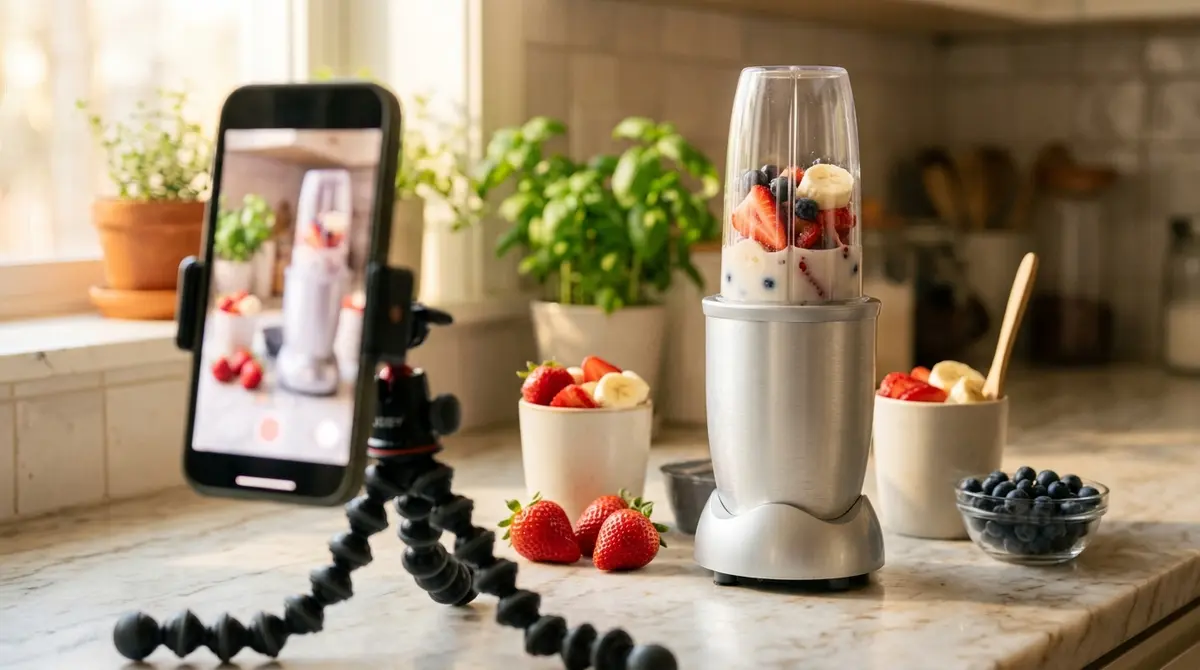
A blank skeleton is easy to nod along to and hard to actually use, so here is the same template filled in for one product: a countertop personal blender that makes a single smoothie and rinses clean in seconds. Watch how each bracket becomes a real line, and how short the whole thing is when you read it aloud.
[HOOK  0:00-0:03]
  Spoken:  "I gave up on smoothies because of one thing: the cleanup."
  Caption: SMOOTHIES, MINUS THE MESS

[PROBLEM  0:03-0:08]
  Spoken:  "A big blender means a sink full of parts every single morning."
  Caption: Nobody washes 6 parts before work

[SOLUTION  0:08-0:15]
  Spoken:  "This one blends straight into the cup you drink from, then twists apart."
  Caption: Blend in the cup. Drink. Done.

[PROOF  0:15-0:22]
  Spoken:  "Frozen fruit to smoothie in about 30 seconds, and it rinses in 10."
  Caption: 30s to blend. 10s to clean.

[CALL TO ACTION  0:22-0:25]
  Spoken:  "Tap below and make tomorrow's breakfast tonight."
  Caption: Shop now, free shipping today
Read the spoken lines out loud and time yourself. They run about 24 seconds at a natural pace, which is the point: a 25-second script is only around 55 to 65 spoken words, far less than most people write on a first draft. If your draft runs long, that is not a budget problem, it is a sign the script is doing two jobs and one of them is hiding the other.
Notice that the Hook does not mention the product. It names the reason people quit, which is the pain, so the viewer leans in before the pitch arrives. The Problem agitates that pain for one beat (a sink full of greasy parts), the Solution shows the single mechanism that matters (it blends in the cup you drink from), the Proof gives two concrete numbers instead of an adjective, and the Call to Action gives one instruction with a small reason to act now. Every beat resolves the one before it. The Solution answers the exact Problem you raised, not a different selling point you happened to like.
Notice too that the captions are not the spoken lines copied over. They are shorter, blunter, and self-contained, because a muted viewer has to get the whole story from them alone. "I gave up on smoothies because of one thing: the cleanup" becomes "SMOOTHIES, MINUS THE MESS." That dual-track discipline is what separates a script that works on the feed from one that only works in a quiet room.
The same skeleton holds for products that are nothing like a blender. A productivity app would write its Problem beat around a recurring frustration ("every Monday starts with forty unread messages"), its Solution around the one feature that fixes it, and its Proof around a number ("teams clear their inbox in half the time"). The brackets do not care what you sell, only that you name a pain, answer it, prove it, and ask once.
Turn each beat into a storyboard
A script is words. A shoot needs pictures. The fastest way to bridge the two is a storyboard that takes every beat and splits it into three columns: what is on screen, what is spoken, and what is captioned. Fill this in and you can hand it to a phone, an editor, or yourself, and shoot it without guessing what each shot is supposed to show.
| Beat | On screen (visual) | Voiceover (spoken) | Caption (on screen text) |
|---|---|---|---|
| Hook (0:00-0:03) | Hand drops the blender cup next to a messy sink full of blender parts | "I gave up on smoothies because of one thing: the cleanup." | SMOOTHIES, MINUS THE MESS |
| Problem (0:03-0:08) | Quick cut of six greasy parts piling up, water running | "A big blender means a sink full of parts every single morning." | Nobody washes 6 parts before work |
| Solution (0:08-0:15) | Fruit poured into the travel cup, blade twisted on, button pressed | "This one blends straight into the cup you drink from, then twists apart." | Blend in the cup. Drink. Done. |
| Proof (0:15-0:22) | On-screen timer over the blend, then a 10-second rinse under the tap | "Frozen fruit to smoothie in about 30 seconds, and it rinses in 10." | 30s to blend. 10s to clean. |
| CTA (0:22-0:25) | Person walking out the door, smoothie in hand, smiling | "Tap below and make tomorrow's breakfast tonight." | Shop now, free shipping today |
Two rules make a storyboard useful rather than decorative. First, every beat must earn a distinct shot. If two rows describe the same visual, one of them is filler and the ad will feel flat there. The cut should look like it is going somewhere, beat to beat, even with the volume at zero. Second, the visual should carry the meaning even with the voiceover muted: the messy sink reads as the problem on its own, the on-screen timer reads as proof on its own. When the pictures tell the story without sound, the silent majority of your viewers still get it.
That majority is not a rounding error. Digiday reported in 2016 that 85% of Facebook video plays muted, and a later survey of 5,616 US consumers by Verizon Media and Publicis Media put sound-off viewing at 83% across all devices, so this is a default to design for, not a niche habit you can ignore. The practical consequence is simple and unforgiving: if the storyboard only makes sense with the audio on, most of the people it reaches will see a confusing silent clip and keep scrolling.
Build the frame for where it will run. Most feed and Reels delivery is full-screen vertical at a 9:16 ratio, and short-form video (under 60 seconds) is the format Facebook users are most likely to interact with, at 48% per Sprout Social's 2026 data. So shoot vertical and keep your captions and key action inside the central safe zone, clear of the top and bottom edges where the platform overlays its own profile name, buttons, and progress bar. A caption that lands behind the Shop Now button is a caption nobody reads. Meta's own recommended specs for video ads are worth a glance before you lock the frame, because the safe-zone margins shift slightly between placements.
Vary the same skeleton by funnel stage
The five beats stay the same from a cold prospect to a retargeting view, but the weighting shifts. A stranger needs more setup before the pitch. Someone who already clicked needs almost none. Think of it as a fixed skeleton with adjustable beat lengths: the bones do not change, the muscle moves to where the viewer actually is.
| Stage | What expands | What compresses | One-line reframe of the hook |
|---|---|---|---|
| Cold (TOFU) | Hook and Problem: a stranger has to feel the pain before any pitch | Proof can be lighter; the offer is soft | "I gave up on smoothies because of one thing: the cleanup." |
| Warm (MOFU) | Solution and Proof: they know the problem, now show the mechanism and the evidence | Hook shortens; less time spent naming the problem | "Here is the part people miss about the cup-blender." |
| Retargeting (BOFU) | Proof and Call to Action: lead with results and a reason to act now | Hook collapses; Problem is assumed, not explained | "Still thinking it over? Here is what 30-second cleanup looks like." |
For a cold audience, the job of the first half is recognition. A person who has never heard of you should feel seen by your Problem beat before you have earned the right to sell anything. Spend your seconds there, keep the offer soft, and treat the Proof as a light touch rather than a hard sell, because a stranger who does not yet trust you will not be moved by a discount. The goal of a cold script is to make the viewer think "that is exactly my morning," not to close the sale on the first impression.
For retargeting, the opposite is true. The viewer has seen the product, knows the problem, and is weighing it up, so collapsing the Hook and opening straight on fresh Proof or a time-bound offer respects where they already are. Re-explaining the messy sink to someone who watched it last week wastes the only goodwill you have left. Lead with a new angle they have not seen (a different demo, a customer result, a deadline) and ask for the click sooner. The reframe column shows how one product's hook changes tone across the three stages while the skeleton holds underneath.
A practical tip: write the cold version first, in full, then derive the warm and retargeting cuts by trimming, not by starting over. Most of the strongest lines survive all three stages, so the warm cut is often the cold script with the Problem halved, and the retargeting cut is the warm script with the Hook gone and a fresh Proof bolted on. Only the front half really changes. The Solution, the best Proof line, and the Call to Action usually carry through untouched, which is why one well-written cold script can spin out a whole stage-by-stage testing set in an afternoon.
How the five beats map to AIDA and PAS
If you have used copywriting frameworks before, this template is not a competitor to them. It is the video-specific synthesis. Two of the most common formulas, AIDA and PAS, map onto these five beats cleanly, and seeing the overlap tells you when to reach for which.
| This template (5 beats) | AIDA (4 stages) | PAS (3 steps) |
|---|---|---|
| Hook | Attention | (opens the Problem) |
| Problem | Interest | Problem + Agitate |
| Solution | Desire | Solve |
| Proof | Desire | (reinforces Solve) |
| Call to Action | Action | (implied close) |
AIDA (Attention, Interest, Desire, Action) is the broad attention-to-action arc that works for almost any ad, static or video. This five-beat template is essentially AIDA with the Desire stage split into a distinct Solution and Proof, because video gives you the time and the visuals to do both, and on a feed the proof is often what closes the gap between wanting and buying. A static ad has to fold its proof into a single headline. A video can show the timer running, which is a different and usually stronger kind of evidence.
PAS (Problem, Agitate, Solve) is tighter and pain-led, and it lives mostly in the Problem beat of this template. When a product is bought to escape a sharp, obvious pain (a leak, a recurring chore, an embarrassing symptom), a near-pure PAS script can outperform the full five beats, because dwelling on the pain is the whole sell. Reach for straight PAS when the agitation is the argument. Reach for the full five-beat template when the product needs to be shown and proven, not just named, which is most physical products that have a mechanism worth seeing.
The point of the mapping is permission, not theory. You do not have to choose one framework forever, and you do not have to memorize three. They share the same DNA, so you pick the structure that fits the product and the stage in front of you: the full five beats when the demo and the proof matter, a leaner PAS when the pain carries the ad on its own.
This is also the cleanest way to see why a video ad script and a UGC ad script are not the same document. The UGC version takes a similar beat order and rewrites every line in a creator's own first-person voice, shot on a phone, trading polish for the trust of a real face. This template is format-agnostic: the same five beats drive a slick brand-produced spot, an animated explainer, a screen recording, or a founder talking to camera. Decide the structure here, then choose the voice and the production after.
A pre-shoot checklist and the mistakes to avoid
Before anyone hits record, run the script against this list. Each item is a common failure with the fix attached, and most of them cost nothing to correct on paper, which is exactly where you want to catch them.
- The hook is buried. If your most interesting line is at 0:08, you have already lost most of the audience, because impact concentrates in the first three seconds. Fix: move it to 0:00 and rebuild around it. Whatever makes someone stop should be the first thing they see and hear.
- The solution does not answer the problem you opened. If the Problem beat is about mess and the Solution beat brags about taste, the script splits in two and the viewer feels the seam. Fix: read Problem and Solution back to back; the Solution should resolve the exact pain the Problem raised, nothing else.
- There is no proof. Claims without evidence slide right off a skeptical scroller. Fix: add one concrete thing, a number, a side-by-side demo, a real result, a short quote. The Proof beat is not optional, and a number ("30 seconds," "rinses in 10") beats an adjective ("fast," "easy") every time.
- The call to action is vague or missing. "Check it out" is not an instruction. Fix: name the action and the button (Shop now, Learn more, Sign up) and give one small reason to do it now, so a convinced viewer does not stall on the threshold.
- The voiceover is over-written. A first draft is almost always too long. Fix: read it aloud against a stopwatch, then cut until a 25-second cut holds about 55 to 65 words. If you are rushing to fit the words into the time, the script is too dense and the viewer will feel rushed too.
- The captions just copy the voiceover. Long spoken sentences make unreadable on-screen text, and most of the feed is muted. Fix: rewrite each caption as a short, standalone line that carries the meaning for a silent viewer, and keep it inside the 9:16 safe zone, clear of the platform's own buttons.
- You only wrote one version. Testing a single script teaches you nothing about why it won or lost. Fix: write two or three genuinely different concepts, a different hook or a different angle, not a punctuation swap, and run them against each other so the feed tells you which idea works.
That last point is where the real work lives. The template gets you a strong first script fast, but a feed punishes sameness, so the cadence that compounds is writing a fresh concept, shooting it, reading the result, and feeding it into the next one. Study a few ads that already work in your category (the free Meta Ad Library is the place to do that, searchable by brand and country), note which beat is carrying each one, and borrow the structure rather than the wording. A platform like AdPlay.ai keeps that research-to-script-to-launch loop in one place, though the discipline matters with any workflow. When the script is locked and the storyboard is shot, the next step is getting it live: the step-by-step guide to running a Facebook ad picks up exactly there.
One closing reframe. People treat the script as the creative part and the structure as a constraint, but it is the other way around. The structure is what frees you to be creative inside each beat, because you are never staring at a blank page wondering what comes next. You are just filling in five brackets, in order, and trusting that a hook, a problem, a solution, a proof, and an ask, in that sequence, is how a stranger on a feed decides to care.
By the numbers
Frequently asked questions
What is a Facebook video ad script and what should it include?
A Facebook video ad script is the written plan for a short video ad: the spoken lines, the on-screen captions, and the shots that go with them, beat by beat. A complete one includes five parts: a Hook that stops the scroll in the first three seconds, a Problem the viewer recognizes, a Solution that answers it, Proof that the solution works, and one clear Call to Action. Because most feed video plays on mute, write it as two tracks at once: what is spoken and what is captioned on screen.
How long should a Facebook video ad script be, in seconds and in words?
Aim for roughly 15 to 30 seconds of finished video. Vidyard's 2025 benchmark found 65% of viewers finish a sub-one-minute video versus about 20% for very long ones, so shorter cuts get watched all the way through. In words, a natural speaking pace is about two to three words per second, so a 25-second script is only around 55 to 65 spoken words. That is far less than most people write on a first draft, which is exactly why tight scripts beat rambling ones.
What are the five parts of a video ad script?
Hook, Problem, Solution, Proof, and Call to Action. The Hook (0:00-0:03) earns the next three seconds. The Problem (0:03-0:08) names the pain the viewer feels. The Solution (0:08-0:15) shows what fixes it. The Proof (0:15-0:22) gives a reason to believe, like a result, a demo, or a number. The Call to Action (0:22-0:25) tells them exactly what to do next. Each beat has a job, and a script that skips one usually underperforms.
Do I write the spoken voiceover and the on-screen captions separately?
Yes. A large share of Facebook video is watched without sound, so a video ad script is really two scripts at once. Digiday reported the 85% figure back in 2016, and a more recent Verizon Media and Publicis Media survey of 5,616 US consumers found 83% watch video with the sound off across all devices, so the silent-viewing habit has held. The spoken track carries detail and tone for people with sound on. The caption track has to deliver the whole message on its own for everyone scrolling silently, in short lines placed inside the safe zone away from the top and bottom edges where the platform overlays its own buttons. If the ad still makes sense on mute, the captions are doing their job.
How is a video ad script different from a UGC ad script?
This template is format-agnostic: it works for brand-produced video, a product demo, animation, or a founder talking to camera. A UGC ad script is a specialized version written for a creator to read in their own first-person voice, with a phone-shot, native feel and trust built through a real face. The beats are similar, but the voice and production differ. For the creator-specific version, see the UGC ad script guide.
Should I write a different script for cold audiences versus retargeting?
Yes, and it is mostly a matter of which beats expand and which compress. For a cold audience that has never heard of you, spend more on the Hook and Problem so a stranger feels seen before you pitch. For retargeting, the viewer already knows the problem and the product, so you can collapse the Hook, skip most of the Problem, and lead with fresh Proof and the offer. Same five-beat skeleton, different weighting.
How do I turn a video ad script into a storyboard or shot list?
Take each of the five beats and split it into three columns: what is on screen (the visual or shot), the spoken voiceover line, and the on-screen caption. That gives you a row per beat that a phone or an editor can shoot directly. The storyboard is what turns written lines into a shoot, and it forces you to confirm that every beat actually has a visual, not just words.
Is the five-part script the same as AIDA or PAS?
It overlaps with both but is built for video. The Hook maps to AIDA's Attention, the Problem to Interest and to the Problem step of PAS, the Solution and Proof to Desire, and the Call to Action to Action. PAS (Problem, Agitate, Solve) is a tighter pain-led formula that suits static feed copy. This five-beat version adds the Proof beat and the on-screen timing that video needs. See the AIDA framework and PAS framework guides for the underlying copy theory.
Sources
- 1.MarTech, Even Brief Video Views Drive Brand Lift (Facebook-Nielsen study) (2015)
- 2.Meta Facebook IQ, Capturing Attention in Feed With Video Creative (2016)
- 3.Vidyard, Video in Business Benchmark Report (2025)
- 4.Digiday, 85 Percent of Facebook Video Is Watched Without Sound (2016)
- 5.Next TV / Broadcasting+Cable, Mobile Videos Often Watched Without Audio (Verizon Media and Publicis Media study) (2019)
- 6.Sprout Social, Social Media Video Statistics (2026)
- 7.Meta Business Help Center, Recommended Specs for Facebook and Instagram Video Ads (2026)
- 8.DataReportal, Essential Facebook Statistics and Trends (2025)
Keep exploring
Turn ad research into winning ads
Research the ads that work, generate the creative on-brand, and launch to Meta, all in one tool.
7-day free trial · No credit card required