
Advantage+ Creative Enhancements Guide (2026)
What every Advantage+ Creative enhancement toggle does, including the catalog and carousel ones, which to keep on or off to protect your brand, and how to preview each before you spend.
Updated August 2026 · Likit Sae Lee, CTO

Advantage+ Creative enhancements are ad-level toggles in Meta Ads Manager that let AI restyle your creative: animate a static image, swap or generate a background, rephrase text, turn stills into video, and crop to extra aspect ratios. As of early 2026 they default ON for all new Sales, Leads, and App Promotion campaigns, so the safe move is to feed Meta a strong on-brand base, turn off the brand-risky toggles (text generation, background generation, image animation, auto-music), keep the safe ones (visual touch-ups, image expansion), and preview every placement before spend. Catalog and carousel ads add their own enhancement families (price and discount overlays, best-card reordering) that follow the same rule: keep the factual ones, preview the generative ones. Meta says Advantage+ Sales campaigns deliver roughly a 22% return-on-ad-spend lift on average, a directional figure from its own tests.
You build a clean ad, hit publish, and three days later it is running with a background you never chose, a headline reworded by AI, and a square crop stretched to fill a Reel. None of that was a bug. As of early 2026, Meta turns every Advantage+ Creative enhancement on by default for new Sales, Leads, and App Promotion campaigns, so the creative that spends your budget is whatever the system decided to make of your upload. The fix is not to fight the feature. It is to know exactly what each toggle does, switch off the ones that put your brand at risk, and preview the rest before a single dollar moves.
What Advantage+ Creative enhancements actually are
Advantage+ Creative is a set of optimization toggles that live at the ad level in Meta Ads Manager. Upload an image or video, and Meta offers to restyle it before it serves: brighten and sharpen it, crop it to extra aspect ratios, animate a still, generate or swap the background, rephrase your text, add music, or stitch stills into a short video. Each modification is its own switch, and there is an "All optimizations" master toggle sitting above them.
The reason this matters more in 2026 than it did two years ago is scale and defaults. Meta reported full-year 2025 advertising revenue of $196.175 billion, up 22% year over year, which is the size of the machine these toggles plug into. And as of early 2026, when Meta merged its manual and Advantage+ campaign flows into one creation interface, every enhancement defaults ON for new Sales, Leads, and App Promotion campaigns. The practical effect: the creative that spends your money is whatever the system made of your upload, unless you intervened.
Five enhancements do the heavy lifting, and they are the spine of every decision in this guide:
| Enhancement | What it does | Default-on risk |
|---|---|---|
| Image animation | Adds subtle motion or a 3D effect to a static image | Can look unnatural; low adoption |
| Background generation | Replaces or extends the backdrop with a new scene | Can invent an off-brand set |
| Text variations | Rephrases primary text, headline, or description | Can change tone or exact wording |
| Static-to-video | Stitches stills into a multi-scene clip | Sequence can misread without preview |
| Aspect-ratio crops | Image expansion to 9:16, 4:5, and other ratios | Generally safe; preserves your subject |
The pattern to internalize: the toggles that only touch your existing pixels are safe, and the toggles that generate new content are where brand consistency leaks.
Why they default on, and why that changed the job
Meta wants these on because it has data that says they help. It attributes an average 22% return-on-ad-spend lift to Advantage+ Sales campaigns, the objective family where these enhancements default on, and credits up to a 5% conversion improvement to GEM, its generative ads recommendation model that ranks the enhanced variations. Both are Meta's own figures, so read them as directional rather than guaranteed. The deeper history is the original 2022 Advantage+ Shopping test across 31 advertisers, where Meta reported a 17% better cost per acquisition and 32% better ROAS versus business-as-usual campaigns. Again, Meta's own test, but it is why the defaults trend in this direction.
The independent benchmarks confirm the structural reason placements keep multiplying. Tinuiti's Q1 2026 Digital Ads Benchmark Report found total Meta-owned impressions up 17% year over year, with Instagram Reels reaching 33% of Instagram ad impressions, up from 19% a year earlier. More placements means more aspect ratios to fill, which means more enhancement variations auto-generated for every ad you launch. Tinuiti also noted Meta CPM down 3% in Q1 2026, an improvement on the 7% decline in Q4 2025, so the cost of reaching people is steady to slightly cheaper, which is precisely why previewing before spend is worth the few minutes it takes.
One nuance worth holding: Advantage+ Sales fell to 20% of retail Meta spend in Q1 2026, down from a 38% peak a year earlier, per the same Tinuiti report. The defaults reach a large slice of budget, but not the majority, so plenty of advertisers are running these enhancements without ever deciding to. Knowing which toggle does what is the difference between using the feature and being used by it.
Standard versus generative enhancements: why there is no single switch
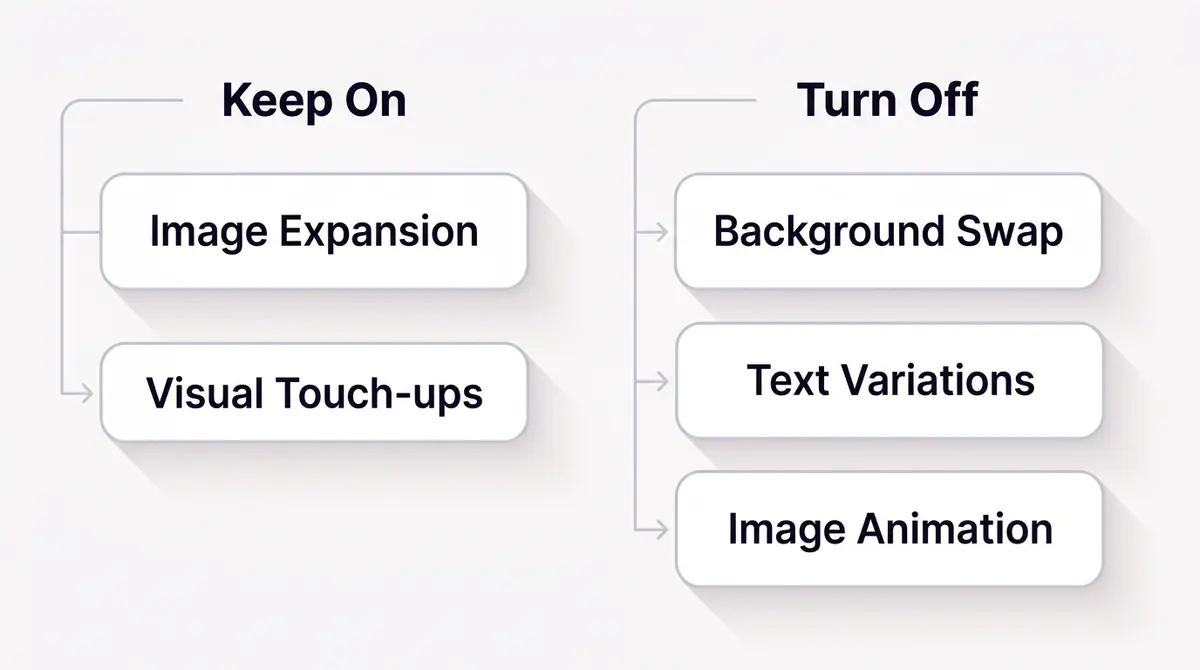
It helps to split the toggles into two families, because Meta does. Standard enhancements are the light, mechanical touches: brightness and contrast, mild visual touch-ups, cropping your asset to extra ratios. They adjust pixels you already supplied. Generative enhancements invent new content: a background that was never in your shot, a headline the model wrote, a video stitched from your stills. The risk lives almost entirely in the second family, which is why the keep-or-kill logic in this guide tracks that line and nothing else.
There used to be one master opt-in that bundled these together. That changed. With Marketing API v22.0, released January 21, 2025, Meta deprecated the single Standard Enhancements bundle, and advertisers can no longer create or update an ad with that bundle specified. Each enhancement became its own field, opted into one at a time (visual touch-ups, text optimizations, overlays, and comments each turned into a separate control). Meta gave a grace period of at least 90 days from that date before calls on older API versions started to fail.
If you only ever touch Ads Manager, the change is invisible: you still see individual toggles. It matters the moment your ads run through the Marketing API or a partner integration, because a setup that assumed the old bundle will silently stop applying the enhancements you expected, or apply ones you did not. Anyone managing ads programmatically should confirm the integration now sets each enhancement field explicitly rather than leaning on a bundle that no longer exists.
Image animation and 3D motion: when a still should stay still
Image animation takes a static image and adds motion, a slow pan, a parallax shift, or a 3D-style tilt. On a lifestyle scene it can add life. On a hero product shot it tends to look artificial, warping edges or floating the subject in a way that reads as cheap. Adoption is low for a reason: the effect rarely flatters a controlled studio image.
For a product where the shot itself is the promise, keep animation off and supply real motion instead. A brand like Medicube running a device close-up wants the texture and the clinical precision to read clean. Subtle motion can help, but the wrong kind of auto-animation makes a precision tool look like a stock loop. If you want movement, shoot or edit it deliberately, then turn the toggle off so the system does not improvise over your hero frame.
There is a worthwhile exception. When the still already shows a scene rather than a single object, a lifestyle flat-lay, a model holding the product, a table set for a meal, mild animation can add the scroll-stopping motion that vertical placements reward without distorting anything load-bearing. The test is simple: if the motion happens to the background or the broader scene, it usually survives a preview. If it happens to the product itself, the edges and reflections are where it falls apart. So judge animation per asset, not per account, and let the preview carousel make the call rather than a blanket rule.
It is worth separating the two effects Meta groups here. Plain image animation adds movement inside the frame, a gentle drift or a pan, and Meta introduced it at Advertising Week in October 2024 as a way to generate video creative from a single still for Reels. A 3D motion effect goes a step further: it adds zoom and depth so the still tilts like a shallow camera move, producing a short video version that can run in Stories, Reels, and video feeds where a flat image never would. Both turn a static asset into motion, which is the appeal, and both share the same failure mode on a hero product shot. The edges and reflections that read crisp on a still start to warp the moment the frame moves. Treat the depth effect with the same caution as plain animation: it flatters a scene and punishes a precision object.
Background generation: the biggest brand-consistency risk
Background generation is the toggle that worries brand owners most, and rightly so. It does not just crop or extend; it can invent a new scene behind your subject. For a generic product that helps, a candle against a cozier room reads warmer. For anything where the setting carries meaning, it is a liability. A clinical skincare device dropped onto a soft pastel set undercuts the pore-care, results-driven promise the brand spent money building.
The safe pattern is to feed Meta a strong, finished base and turn generation off. A brand like Medicube keeps subtle motion if it helps but switches background generation off so the swapped set never dilutes the clinical positioning. If you do want to test a generated background, do it explicitly: turn it on, open the preview, and judge the actual output rather than trusting the average. Never let it run unseen on a default-on launch.
The failure mode is subtle, which is what makes it dangerous. A generated background rarely looks broken; it looks plausible, just not yours. The lighting shifts a few degrees warmer, a prop appears that your brand would never stage, the surface under the product changes from marble to wood. None of it trips an obvious error, so it sails through a default-on launch and quietly trains your audience to associate your product with a look you did not choose. Multiply that across the dozens of variations Meta generates to fill every placement and you get drift at scale. The fix costs nothing: control the backdrop in your own base asset so the model has no gap to fill, and reserve generation for genuine tests you preview and approve one at a time.
Text variations: lock your exact wording
Text improvements and text generation rephrase your primary text, headline, or description. The intent is to find phrasing that lands better. The risk is that AI rewording changes tone, drops a claim you need for compliance, or overwrites exact wording that has to stay precise: a price, a karat weight, an ingredient name, a percentage.
This is where jewellery and skincare brands lose control fastest. A brand like Bene Jewellery running a hero piece needs the exact karat and price wording intact; an AI rephrase that "improves" the copy can quietly turn a specific offer into a vague one. Leave text generation off for anything with hard specifics, write the copy yourself, and preview every placement to confirm nothing was rephrased. Where exact wording is part of the product, the safest text variation is the one you wrote.
It helps to separate the two text toggles in your head. Text improvements tend to make small edits, tightening a sentence or swapping a synonym, while text generation can produce wholesale alternatives. The small edits feel harmless until one of them clips a regulated claim or a numeric detail; a "from 199" offer that becomes "affordable" is a worse ad, not a better one. If your category carries any compliance weight, around health, finance, or anything with a stated result, treat both toggles as off by default and earn back any wording change through a preview you read word for word. Writing it yourself buys more than control: a precise claim usually converts harder than a softened one, so the disciplined choice and the high-performing choice point the same way.
Static-to-video and image expansion: the two worth keeping
Two enhancements earn their default-on status more often than not.
Static-to-video, also called image-to-video, stitches your stills into a multi-scene clip, up to 20 product photos into one video per Meta's spec. For a catalog-heavy brand this is genuine leverage: a set of clean product stills becomes a scrollable video without a shoot. A brand like SKIN1004 can turn a sequence of clean product stills into a short routine clip. The one caveat is order. The model decides the sequence, so preview the motion and confirm the steps read correctly before you spend, especially when the photos imply a process.
Two things make this enhancement pull its weight rather than just produce filler. First, the input quality sets the ceiling: feed it a coherent set shot in the same lighting and style and the stitched clip looks intentional, while a grab-bag of mismatched stills looks like a slideshow. Second, the pacing only matters for narrative assets. A pure product montage can survive any order, but a how-to or an install reads as nonsense if step three lands before step one. So reserve a careful preview for anything that tells a story and let the montage cases run with less scrutiny. Used this way, static-to-video turns the asset library you already own into vertical inventory for Reels and Stories without commissioning a single new frame.
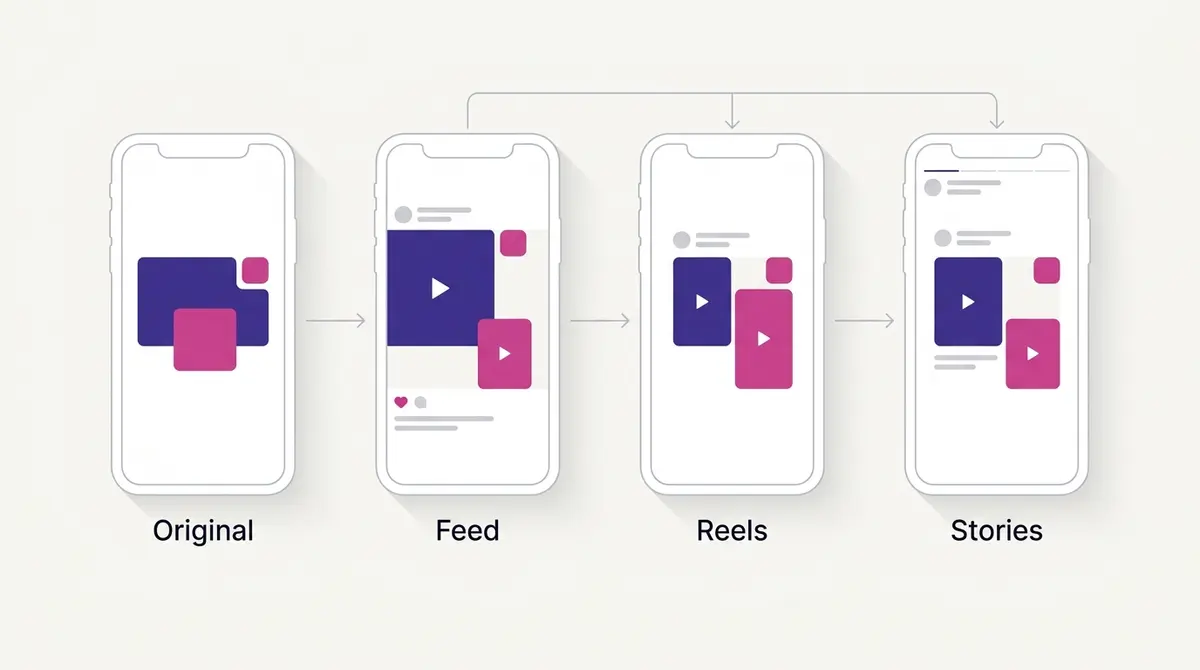
Image expansion, the aspect-ratio crop, is the safest enhancement of the set because it works from pixels already in your asset rather than inventing new ones. It extends or recrops your image to fill 9:16, 4:5, and other ratios so one upload delivers cleanly across Feed, Reels, and Stories. With Reels now at 33% of Instagram impressions per Tinuiti, vertical coverage is no longer optional, and expansion handles it without a separate export. The guardrail is the base asset: a strong 9:16 source from the start means expansion never has to guess. A brand like SKIN1004 feeding a strong vertical Centella shot keeps the hero ingredient color true so expansion never invents an off-brand green.
Catalog enhancements: the toggles built for shopping ads
If you run Advantage+ catalog ads, you get a family of enhancements the single-image advertiser never sees, and they behave differently because the creative is assembled from your product feed rather than a file you uploaded.
The most useful are the dynamic overlays, sometimes called standard labels. Since April 2025, Meta can stamp sticker-style labels straight onto your product images, pulled from the feed: the current price, a strikethrough sale price, a percentage off, or a free-shipping badge. Each of the four label types toggles on or off independently, and you can either style them yourself (font, color, placement) or let Meta pick which offer to show based on performance signals. For a store running a sale, this is close to free upside. The offer that earns the click now sits on the creative itself instead of buried in the caption.
A second catalog enhancement shows extra products from your catalog beside a featured item, surfacing a small rail of related product cards when Meta predicts it will help. Meta reported a directional 14% average ROAS lift from this in its own testing, so read it as a vendor figure rather than a promise, but the logic holds for a product line where shoppers want to compare options. There are also AI text and image generation options specific to catalog ads, and image expansion has been extending to catalog placements too, which is exactly where the preview earns its keep: a generated background or an expanded crop on a packshot can clip the product or invent a setting that fights your brand.
The decision for a shopping advertiser is narrower than it looks. Keep the overlays that surface a real offer, because they are factual and pulled from your own feed. Treat the generative catalog options (background and text generation) the way you treat them anywhere: preview every one, and leave them off when the exact product or price has to stay precise. Getting the feed clean comes first, so start with setting up a Meta product catalog and running Facebook dynamic product ads, then note that the Advantage+ Sales campaign objective is what turns these defaults on in the first place.
Carousel enhancements: highlight card and dynamic description
Carousels carry two enhancements worth knowing, and one of them can quietly break a story you built on purpose.
The first reorders your cards to show the best-performing ones first. In the Ad Creative section that box is ticked by default, so Meta leads with whichever card earns the most engagement rather than the order you arranged. For a set of unrelated products that is fine, even helpful. For a carousel that tells a sequence (a problem on card one, the fix on card two, the proof on card three) it is a trap, because reordering scrambles the narrative. The rule is simple: if your carousel reads as a story, uncheck that box and lock your order. If the cards are interchangeable, let Meta sort them.
The second is dynamic description, where Meta decides whether to show a card's description at all, and which version, based on what is likely to land for each viewer. You can add detail like price or free shipping to the description and let the system surface the most relevant line. It is low risk on a product carousel and worth leaving on, with the same caveat as everywhere else: preview it so you know exactly what each card says before it spends. For when a carousel is the right format at all, see our Facebook carousel ad guide.
Lower-risk extras: site links and relevant comments
Two enhancements sit outside the generative-risk conversation entirely, and the only real question is whether they fit the ad.
Site links add a row of extra buttons beneath your ad, each pointing to a different landing page: a category, a sale, a shipping or returns page, a booking flow. They let one ad route people to the exact thing they want instead of dropping everyone on a single URL. Meta has reported directional gains from them, a 3% lift in click-through rate and a 4.5% lower cost per acquisition on Facebook Feed in its own data, so treat the numbers as a vendor signal rather than a guarantee. The discipline that matters is relevance, not quantity. Add site links only when you genuinely have distinct destinations worth sending people to, and skip them when one strong link does the job.
Relevant comments surfaces selected comments beneath your ad and filters out spam, so the social proof under a post works for you instead of against you. It is one of the individual fields the Marketing API now exposes by name, which tells you Meta treats it as a real enhancement and not a cosmetic afterthought. The catch is the same as any comment thread: it only helps when the conversation under your ad is positive, so it pairs best with creative that earns genuine engagement. If a logo or a caption crop is a concern when these extras render across placements, our guide to Meta ad safe zones covers where to keep load-bearing elements.
The preview workflow: see it before you spend
Every decision above is only as good as the preview that confirms it. The workflow is short and repeatable.
In Ads Manager, drop to the ad level and open the Advantage+ Creative section. Click Edit. A carousel appears showing your original asset alongside each modification the system applied. Step through it placement by placement: this is where you catch the background that drifted, the headline that got reworded, the crop that cut off your logo. Use the per-enhancement toggles to switch off anything that misreads your brand, or hit "All optimizations" to clear everything and re-enable only what you trust.
A clean default routine for brand-sensitive work: master toggle off, then turn image expansion and visual touch-ups back on, leave the generative toggles disabled, and step through every aspect ratio. It takes a few minutes and it means the creative that serves is the creative you approved. The enhanced variations still get scored by Meta's ranking models, GEM among them, so a controlled, on-brand base gives the system better raw material to rank, not worse.
A full keep-on-versus-off reference, with the media types each enhancement applies to:
| Enhancement | Media types | Default action | Why |
|---|---|---|---|
| Visual touch-ups | Single image, video | Keep on | Mild brightness and contrast, rarely distorts a brand |
| Image expansion | Single image, video, catalog | Keep on | Works from your own pixels, fills 9:16, 4:5, and other ratios |
| Static-to-video | Single image (multiple stills) | Keep on, preview order | Turns stills you already own into vertical video |
| Catalog overlays (labels) | Catalog | Keep on for real offers | Factual price and discount tags pulled from your feed |
| Dynamic description | Carousel | Keep on, preview | Shows the line most likely to land per viewer |
| Highlight best card | Carousel | Off for a sequenced story | Reorders cards and can scramble a narrative |
| Site links | Single image, video | Use when destinations differ | Extra buttons help only when relevance is real |
| Relevant comments | Single image, video, carousel | Keep on with positive engagement | Surfaces good comments, filters spam |
| Image and 3D animation | Single image | Turn off for hero product shots | Motion warps crisp edges and reflections |
| Background generation | Single image, catalog | Turn off, preview any test | Can invent an off-brand scene |
| Text generation | Any text placement | Turn off for exact wording | Can overwrite a price, spec, or regulated claim |
| Music | Video, animated | Hand-select | Auto tracks often clash with tone |
The 2026 audit habit: defaults, duplicates, and eligibility
The preview step is not a one-time gate, it is a habit, because three things in 2026 keep putting enhancements back in front of you.
First, the defaults. Every new Sales, Leads, or App Promotion campaign starts with enhancements on, so a controlled ad is something you create, not something you inherit. Build the reflex of dropping to the ad level and checking the Advantage+ Creative section on every launch, the same way you check the budget.
Second, duplication and edits. The cleanest way to scale a winner is often to duplicate it, but a fresh ad created from a default-on flow carries default-on settings, so the toggles you cleared on the original are worth re-checking on the copy before it spends. Since the Marketing API split the bundle into individual fields, any tool or template that builds ads for you has to set each field explicitly, which is one more place a stale setup can quietly switch an enhancement back on. Audit the duplicate, not just the original.
Third, eligibility. If you cannot find a toggle, it usually is not a bug. Enhancements are scoped to the media and placement they fit: catalog overlays only appear on catalog ads, the carousel options only on carousels, image animation produces a video version for vertical placements, and several enhancements are tied to particular media types. A missing toggle almost always means the enhancement does not apply to that asset, not that it is hidden. Knowing the scope saves you hunting for a switch that was never going to be there, and it explains why the same account shows different toggles on different ads.
Feeding Meta a base worth enhancing
The throughline of this guide is that the enhancements default on, so your real lever is the quality and control of the base you hand the system. A controlled on-brand asset, exported in the right aspect ratios, with copy you wrote and a background you chose, turns these toggles from a brand risk into a delivery convenience. A weak base hands the AI permission to fill the gaps, and that is where off-brand drift happens.
This is the production discipline worth building: design the on-brand base, edit it deliberately, switch off the brand-risky toggles, then preview every placement. A platform like AdPlay.ai helps with the first step, generating an on-brand base and editing it so what you upload is already the version you want to win, before Meta's defaults ever get a vote. From there the rules are simple: keep the safe enhancements, control the generative ones, and never let an ad spend until you have seen what the system made of it.
For the system that ranks these enhanced variations once they serve, see our guide to Meta Andromeda and creative. To get the on-brand base right before any toggle touches it, start with building a brand identity for ads, and for the disclosure rules that apply when AI alters your creative, read the Made with AI label on Meta ads.
Example ad angles
Representative hooks and formats from the category.
“Feature Callout ad for keeping subtle motion on a device shot while the swapped clinical set stays off”
“Showcase ad for a Centella bottle cropped to 9:16 from a strong on-brand base”
“Feature Callout ad for a hero piece where the exact karat and price wording stays locked”
By the numbers
Frequently asked questions
What are Advantage+ Creative enhancements?
They are ad-level optimization toggles in Meta Ads Manager that apply AI changes to your creative before it serves. On a single image or video the common ones are visual touch-ups (brightness and contrast), image expansion (crops your asset to extra aspect ratios), image and 3D animation (adds motion to a still), background generation (replaces or extends the backdrop), text improvements and text generation (rephrases your primary text, headline, or description), music, and static-to-video. Catalog ads add price and discount overlays plus extra product cards, and carousels add best-card reordering and dynamic descriptions. Each toggles on or off individually, with an 'All optimizations' master switch above them.
Are Advantage+ Creative enhancements on by default?
Yes. As of early 2026, when Meta merged its manual and Advantage+ campaign flows into a single creation interface, all new Sales, Leads, and App Promotion campaigns launch with every enhancement turned on. If you do nothing, your creative ships with AI modifications applied. You can switch any of them off at the ad level before you publish, but the burden is on you to opt out, not opt in.
What is the difference between standard enhancements and generative enhancements?
Standard enhancements make light, mechanical changes to pixels you already supplied: brightness, contrast, mild touch-ups, and cropping to extra ratios. Generative enhancements invent new content: a background that was never in your shot, a headline the model wrote, or a video stitched from your stills. The risk lives almost entirely in the generative family, so the keep-or-turn-off logic in this guide tracks that line. Meta used to bundle a single Standard Enhancements opt-in, but with Marketing API v22.0 in January 2025 it deprecated that bundle and made each enhancement its own field, opted into one at a time.
Which enhancements should I turn off to protect my brand?
Keep the low-risk ones on: visual touch-ups (mild brightness and contrast) and image expansion (it crops one upload to fill Feed, Reels, and Stories). Turn off or hand-control the generative ones: background generation (it can invent an off-brand set), text generation and text improvements (they can change tone or overwrite a price, ingredient, or spec), and image or 3D animation (motion warps a crisp product shot). Auto-music is best hand-selected. Turning the risky ones off does not penalize delivery: a controlled, on-brand base gives Meta's ranking models better raw material, not worse.
What are Advantage+ catalog enhancements, and which should an online store use?
Catalog ads get a family of their own. The most useful is dynamic overlays: sticker-style labels that stamp the price, a sale price, a percentage off, or free shipping onto the product image, pulled straight from your feed, with each label toggling independently. There is also an option to show extra products from your catalog beside a featured item, plus AI text and image generation for catalog creative. Keep the overlays that surface a real, factual offer. Treat catalog background and text generation the same as on any ad: preview them, and leave them off where the exact product or price has to stay precise.
Do I need the 'Made with AI' label if I use these enhancements?
Meta handles this for you. Since February 2025, when its in-house generative AI creative features significantly edit an image or video, or generate a photorealistic human, Meta applies an 'AI info' label to the ad (behind the three-dot menu, or next to 'Sponsored' for a photorealistic human). Minor enhancements that do not change the creative much and contain no photorealistic human are not labeled. In 2026 Meta extended this to a unified 'About this ad' view and began detecting AI from some third-party tools using industry-standard signals. You do not add the label yourself for Meta's own enhancements; the system applies it when the threshold is met.
Will these enhancements turn back on if I duplicate an ad, and can I disable them through the Marketing API?
Treat every new and duplicated ad as default-on. A fresh ad built from the standard flow starts with enhancements enabled, so the toggles you cleared on an original are worth re-checking on a duplicate before it spends. Through the Marketing API the controls changed in v22.0 (January 2025): the single Standard Enhancements bundle was deprecated, and each enhancement is now an individual field your integration must set explicitly. If a partner tool or template builds your ads, confirm it sets each field, because a stale setup can quietly re-enable an enhancement you meant to leave off.
How do I preview Advantage+ Creative changes before spending?
In Ads Manager, go to the ad level, open the Advantage+ Creative section, and click Edit. A carousel shows the original asset alongside each modification, and you can step through how the ad looks in each aspect ratio and placement. This is the safe-before-launch step: you see exactly what a background swap or a generated headline did, and you can toggle off anything that misreads your brand before any budget moves.
Sources
- 1.Meta, Q4 and Full Year 2025 Results (2026)
- 2.eMarketer, Meta launches 11 new AI ad tools at Cannes Lions 2025 (2025)
- 3.Tinuiti Q1 2026 Digital Ads Benchmark Report key highlights (via Karooya) (2026)
- 4.Meta for Business, Advantage+ shopping campaigns boost holiday performance (2022)
- 5.Search Engine Land, Inside Meta's AI-driven advertising system: Andromeda and GEM (2025)
- 6.Meta for Developers, Marketing API v22.0 impacts to Advantage+ Creative enhancements (2025)
- 7.Search Engine Land, Meta adds dynamic overlays to Advantage+ catalog ads (2025)
- 8.Social Media Today, Meta Adds a Range of AI-Powered Ad Updates for Facebook and Instagram (2025)
- 9.Social Media Today, Meta Announces Image Animation and Video Expansion Tools at Advertising Week (2024)
- 10.Meta for Business, Cannes Lions 2025: Introducing the Next Era of Generative AI for Advertisers (2025)
- 11.About Meta, Expanding GenAI Transparency for Meta's Ads Products (2025)
- 12.Meta Business Help Center, Show the Best-Performing Cards in a Carousel Ad (2026)
Keep exploring
Turn ad research into winning ads
Research the ads that work, generate the creative on-brand, and launch to Meta, all in one tool.
7-day free trial · No credit card required